
Table of Contents
• A 404 happens when a page can’t be found (deleted, moved, mistyped URL, or broken link).
• Frequent 404s can damage user trust and cause SEO losses if important URLs break.
• Fix 404s using the right method: 301 redirects, restoring content, or correcting broken links.
• Sometimes keeping a 404 (with a helpful custom page) is better for low-value content.
• Regular monitoring keeps your site clean, crawlable, and trustworthy.
What is a 404 error?
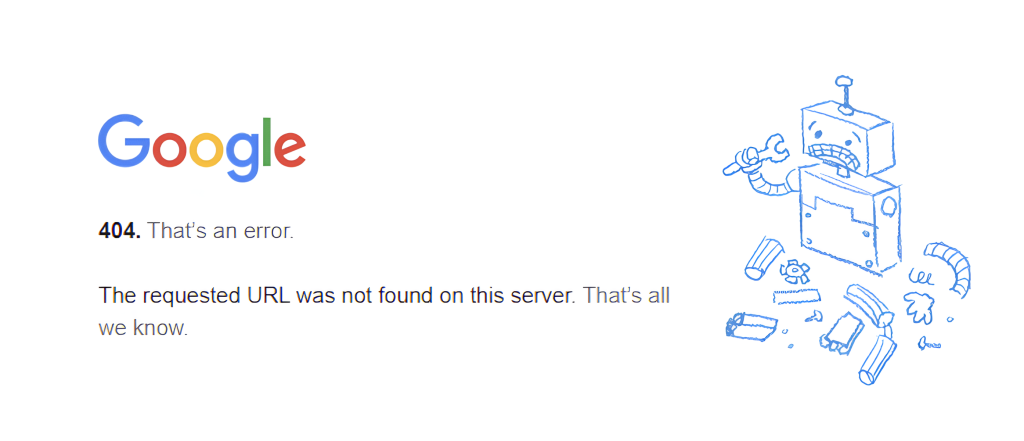
A 404 error is the standard HTTP status code for when there is a problem loading a webpage. In practical terms, it means the server that hosts the website can’t display the page because it doesn’t exist at that URL.
You might see it as “404 Not Found,” “The requested URL was not found,” or a custom message created by the website. While the design can vary, the core meaning stays the same: the page isn’t available where the browser expected it to be.
What causes a 404 error?
According to common guidance from Google and standard web behavior, 404 errors can happen due to:
- Dead or broken links (the link points to a page that doesn’t exist)
- A page that moved but wasn’t redirected to the new URL
- A page that was deleted while external or internal links still point to it
- Typos in URLs (extra characters, wrong slug, wrong folder)
- Incorrect folder structure in FTP/CMS after reorganizing a site
404 errors and SEO: why they matter
404 errors aren’t only annoying — they can affect SEO performance and user experience. Search engines want to send users to pages that work and provide value. When users click a result and hit a 404, they often leave immediately, increasing bounce behavior and reducing trust.
How much a 404 impacts SEO depends on the situation. If you recently moved a page, Google might still show the old URL for some time. During that phase, users land on the old URL and bounce, which can negatively affect performance.
Not every 404 is “bad.” If the URL is truly obsolete and has no valuable backlinks or traffic, returning 404 can be acceptable. The real SEO damage happens when important pages break or when internal linking creates lots of unnecessary errors.
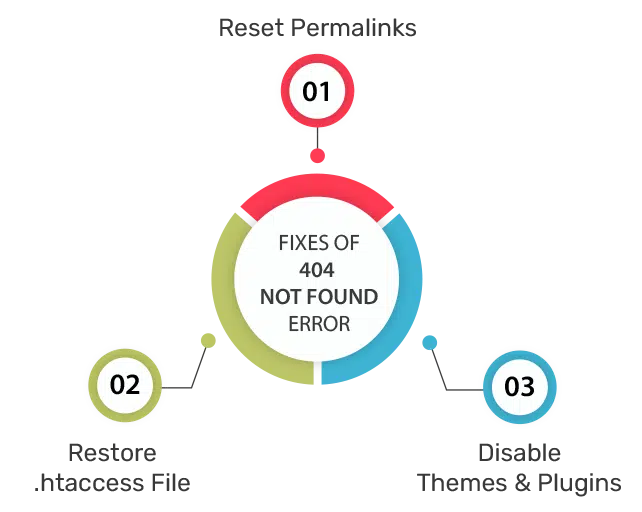
How to fix a 404 error (step-by-step)
Here are the most effective fixes, depending on why the 404 happened:
1) Moving a page or directory (fix the path)
As you add pages, they can accidentally land in the wrong folder. Compare the requested URL path to your actual folder structure in your CMS or FTP. If the location doesn’t match, move it to the correct location and retest.
If you moved a folder containing multiple pages, every child URL changes. In that case, you must update internal links and add redirects for old URLs.
2) Using redirects (best for moved pages)
If a page permanently moved, implement a 301 redirect. A 301 tells browsers and search engines that the old URL has moved permanently to a new URL — and automatically sends visitors to the new page.
You moved product pages under a parent category which changed URLs. Without redirects, old URLs return 404. With 301 redirects, users and Google reach the correct pages smoothly.
External reference: MDN documentation on 301 redirects .
3) Restoring deleted pages (when traffic still exists)
Sometimes old or deleted URLs still receive traffic from Google, social, or backlinks. Use your analytics and Search Console data to identify those pages. If the page still has demand, consider restoring it or rebuilding it as a better resource.
This can be especially valuable when a removed blog post still ranks or has links pointing to it. Bringing it back can recover traffic and prevent repeated 404 hits.
4) Leaving 404 pages for low-performing content (sometimes smart)
In some cases, leaving a page as 404 can be fine, especially if it’s low-quality content you intentionally removed. The key is to provide a helpful custom 404 page so users can continue navigating your site.
A good custom 404 page can reduce frustration, keep users on-site, and help crawlers discover better pages.
5) Looking for broken links (the most common fix)
A 404 can be as simple as a broken or mistyped link. Fixing broken links improves internal linking and cleans up the site architecture. One helpful approach is to crawl your website and identify URLs returning 404.
External tool mention: Ahrefs Site Audit can help identify broken links and 404 pages quickly.
Build a smart custom 404 page (UX + SEO)
A custom 404 page is your safety net. When a user hits a broken link, your custom page should guide them:
- Show a clear message (“Page not found”) without blaming the user
- Offer a search bar or navigation links
- Link to popular pages, services, or top categories
- Include a way to report a broken link
Use these internal tools to diagnose issues faster:
• HTTP Status & Redirect Checker
• Sitemap Finder & Validator
• Robots.txt Checker
• Canonical Meta Checker
How to monitor and prevent 404 errors
404s are part of website ownership, but frequent 404s usually signal poor maintenance. A simple monitoring routine can help:
- Check Google Search Console for “Not Found (404)” issues and fix important URLs first
- Crawl your site regularly (monthly or after major edits) to detect broken internal links
- When changing URLs, always plan redirects and update internal links
- Keep your sitemap updated so search engines discover valid URLs

FAQs about 404 errors
What are 404 errors?
A 404 error is an HTTP status code that indicates a page couldn’t be found on the server. This often happens due to deleted pages, moved URLs without redirects, or broken links.
Do 404 errors hurt SEO?
They can. If important pages (or pages with backlinks/traffic) return 404, you may lose rankings and users. Occasional 404s for low-value or intentionally removed content are often okay—especially with a helpful custom 404 page.
Should I redirect every 404?
No. Redirect only when there’s a relevant replacement page. Redirecting everything to the homepage can confuse users and search engines. If content is obsolete and has no value, a 404 can be acceptable.
What’s the best fix for a moved page?
Use a 301 redirect from the old URL to the new URL, then update internal links to point directly to the new page.
How often should I check for 404 errors?
Check after site migrations, redesigns, or URL changes. For ongoing health, do a monthly scan and review Search Console coverage.
Understanding and addressing 404 errors is crucial for maintaining visibility and user trust. If you want a complete technical SEO cleanup and redirect strategy, Sync Soft Solution can help plan, implement, and monitor your fixes.