
Paid media
Conversion Rate Calculator
Calculate the percentage of visits that become enquiries, orders or other tracked conversions. Plan the extra conversions needed to reach your target.
STRATEGY. DESIGN. DIGITAL GROWTH.
Check your website, sharpen your content and understand your marketing numbers. Practical tools for the decisions that move your business forward.
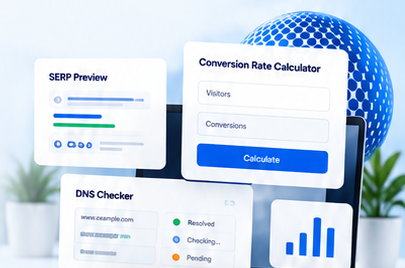 From insight to action.Find the right tool for your next step.
01 / START WITH A BUSINESS QUESTION
Choose a focused check, understand its limits and connect the result to a useful action. These tools support your judgement with calculations and observable evidence.
Review crawl signals, metadata and useful page content.
02 / SPEND WITH PURPOSECalculate costs, response rates and revenue contribution.
03 / MAKE THE NEXT STEP CLEARReview usability, loading performance and enquiry paths.
02 / THE TOOLKIT
Browse all 49 tools or search by task. Each tool includes instructions, a business example and a clear explanation of what its results can tell you.
49 tools available
Calculate the percentage of visits that become enquiries, orders or other tracked conversions. Plan the extra conversions needed to reach your target.
Work out click-through rate from clicks and impressions before comparing campaign messages, search snippets or creative variants.
Calculate advertising cost per thousand impressions to compare media spend across campaigns and placements.
Calculate return on ad spend and estimate the contribution left after advertising, variable margin and additional campaign costs.
Use six connected calculators for conversion rate, CTR, CPM, CPC, CPA and ROAS when planning marketing budgets and reporting results.
Turn a business objective and traffic context into a structured list of website and campaign experiments.
Create campaign links with consistent source, medium and campaign parameters so visits can be connected to your marketing activity.
Keep a dated record of whether your business is mentioned or cited in AI-generated answers across a repeatable set of prompts.
Review accessible page signals to find practical improvements to titles, headings, links and technical discoverability.
Check titles, meta descriptions, canonical tags, robots directives and H1 counts across a batch of public URLs.
Draft structured data and inspect JSON-LD syntax so business information is described consistently in a machine-readable format.
Preview a title, display URL and meta description while writing a clearer search result for a business page.
Read robots.txt rules and check how the selected user agent is instructed to crawl a URL.
Find a website's accessible XML sitemaps and inspect their structure and listed URL signals.
Compare accessible page-level SEO signals between your website and a competing website to plan a more focused review.
Review backlink information when a supported data provider is configured, then identify referring pages worth investigating.
Organise backlink URLs and highlight patterns that deserve a manual quality review.
Check accessible domain and page signals that may warrant closer review before choosing a partner or website.
Explore autocomplete-style keyword ideas across supported search sources and build a starting list of customer questions.
Collect question ideas around a topic to inform useful FAQ sections, service explanations and content briefs.
Find Wikipedia-related research opportunities for a topic and inspect the original context before preparing a source.
Model the leads, customers and revenue that could result from your own traffic and conversion assumptions.
Build an indicative SEO budget from business scope, competition, locations and the work you want to prioritise.
Review repetition, sentence patterns and other writing signals to identify passages that need clearer human editing.
Review a draft against a target topic and improve its structure, coverage and usefulness for potential customers.
Group a keyword list by likely informational, navigational, commercial or transactional intent to plan better page types.
Create structured headline and description drafts from your service, audience and offer for a more focused advertising brief.
Build a draft landing-page outline around your offer, customer problem, proof and desired enquiry action.
Rewrite a draft for a different tone or reading context while keeping a human reviewer responsible for meaning and factual accuracy.
Assess reading difficulty and sentence patterns in a draft so important information is easier for customers to understand.
Count words, sentences and text length while preparing page copy, advertising drafts or editorial briefs.
Trace accessible HTTP responses and redirects to investigate broken destinations, migration rules and unexpected page behaviour.
Inspect publicly returned security headers and identify configuration topics to review with your developer.
Take a quick server-side response snapshot to investigate slow delivery or unusually heavy page responses.
Inspect fetched HTML for potentially blocking stylesheets, scripts without defer or async, and image-sizing issues that deserve a performance review.
Review available public website and performance signals before deciding which analytics data you need for a business question.
Check accessible page features that can support a usability review, then investigate the customer journey in a real browser.
Inspect publicly visible WordPress theme and plugin clues when researching a website's technical setup.
Look up supported DNS record types to investigate website routing, mail delivery and domain verification settings.
Compare DNS answers from supported resolvers after a record change or while investigating inconsistent website access.
Check available domain registration dates when researching a website or preparing a domain due-diligence checklist.
Review available registration and expiry information to organise domain renewal checks and research.
Choose a colour and inspect useful colour values while building a consistent website or campaign palette.
Convert a HEX colour into RGB values and review the matching preview for consistent design implementation.
Generate colour starting points and explore palette ideas before choosing a deliberate brand or campaign direction.
Preview supported visual styles and generate CSS as a starting point for reusable website components.
Create supported SVG shapes and inspect their markup for lightweight, reusable interface graphics.
Convert supported PDF pages into a downloadable PNG import pack for use as a visual reference in Figma.
Prepare and check a list of URLs, then open selected links for a structured research or website review session.
No tools match your search. Try a different keyword or choose another category.
03 / SEARCH & AI DISCOVERY
Good search content explains what your business does and helps people make a decision. Start with accessible pages, accurate information and answers grounded in your experience.
Explain services, inclusions, locations and next steps in plain language.
Check titles, canonicals, crawl access and structured data that matches the page.
Use analytics and recorded search observations. No tool can promise an AI citation or ranking.
04 / BEFORE YOU START
Use a tool to narrow down the next decision. Bring the findings to your team when a change needs specialist review.
The public tools can be opened without creating an account. Some server-side checks depend on an available third-party service or a configured provider. A failed or unavailable check is not a positive result.
No. Calculations, audits and content suggestions can support useful improvements, but search visibility depends on many factors. AI answers can also change between prompts and sessions. Track evidence and business outcomes over time.
Use figures from the same date range, currency and attribution method. Decide what counts as a conversion before comparing results, and check lead quality and contribution alongside response rates.
The calculators and manual visibility tracker work in your browser. Server-based checks send your input to this website and may query the relevant external service. The text rewriter sends text to its configured provider. Avoid entering confidential or personal information into public tools.
LET'S MAKE YOUR NEXT MOVE
Need help connecting the results to your website or campaigns? Tell us what you want to improve. We'll help you define a practical next step.