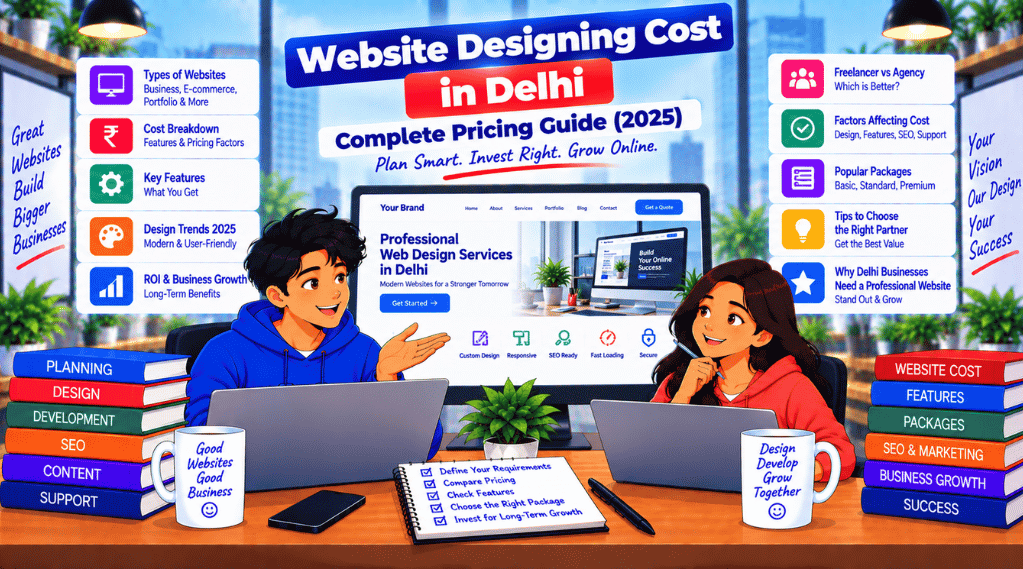
Website Designing Cost in Delhi – Complete Pricing Guide (2025)

Website Designing Cost in Delhi

How Much Does a Website Cost in Delhi? Complete Pricing Guide (2025)

Whether you’re a startup, small business, or established brand, your website is your digital storefront. But how much does a professional Website Designing Cost in Delhi? The short answer: it depends on features, platform, design complexity, and your provider.

In this guide, we break down the complete website designing cost in Delhi, ranging from basic static sites to dynamic eCommerce platforms.

📞 Need Help Deciding Your Website Budget?
Sync Soft Solution build your online presence affordably—without compromising quality. We offer tailored web design packages in Delhi to suit every business need.
Website Design Cost
website designing cost in Delhi

Website Design Pricing Breakdown (2025)

Type of WebsitePrice Range (INR)Ideal For
Basic Static Website₹4,999 – ₹9,999Portfolios, local service providers
Dynamic Business Website₹10,000 – ₹20,000SMEs, B2B sites
WordPress Website₹12,000 – ₹25,000Blogs, startups, product pages
E-commerce Website₹18,000 – ₹60,000+Online stores, B2C platforms
Custom UI/UX Website₹30,000 – ₹1,00,000+Large brands, agencies
Enterprise Portal/CRM₹75,000 – ₹3,00,000+Corporates, internal systems

What’s Included in a Website Design Package?

Most Delhi-based companies like Sync Soft Solution offer bundled services that may include:

  • ✅ Domain & hosting setup (1 year)
  • ✅ Responsive design (mobile + tablet)
  • ✅ SEO-optimized structure
  • ✅ Homepage + inner page layouts
  • ✅ Contact form with email integration
  • ✅ WhatsApp/chat plugin integration
  • ✅ Admin dashboard (for WordPress)
How Much Does a Website Cost in Delhi

Add-On Services That Affect Cost

ServiceTypical Cost (Add-On)
Logo design₹1,000 – ₹5,000
SEO services₹5,000 – ₹15,000/month
Content writing (5 pages)₹2,000 – ₹6,000
Payment gateway integration₹2,000 – ₹8,000
WhatsApp Business Chat₹500 – ₹1,500
Monthly maintenance₹1,000 – ₹3,000/month

Sync Soft Solution’s Pricing (2025 Offers)

Plan NamePrice (INR)Features
Starter Website₹9,9995 Pages, Mobile Friendly, Contact Form, 7 Days Delivery
Business Pro₹14,999All Starter + On-page SEO, WhatsApp Button, Speed Optimization
WordPress CMS₹17,999Elementor, Admin Panel, Blog Setup, SEO Plugin
E-commerce Pro₹29,999WooCommerce, 20 Products, Razorpay, Cart, Analytics

👉 Get a Custom Quote from Sync Soft Solution


Tips to Choose the Right Budget for Your Website

  • For small businesses: Start with a ₹10K–₹15K website with basic SEO and mobile responsiveness.
  • For content creators/bloggers: Go for a WordPress CMS package with SEO plugin.
  • For online sellers: Choose a WooCommerce site that supports inventory and payments.
  • For brands: Consider a custom UI/UX or headless CMS solution.

Key Factors That Influence Website Design Cost in Delhi

  1. Design Complexity – Templates are cheaper, custom designs are pricier
  2. CMS or Coding Stack – WordPress vs Laravel/React
  3. Pages & Features – More pages = more work = more cost
  4. Timeframe – Urgent deliveries often include an express charge
  5. Agency or Freelancer – Agencies offer scalability, freelancers offer affordability

✅ FAQs: Website Designing Cost in Delhi (2025)


1. How much does it cost to build a basic website in Delhi?
A basic static website in Delhi typically costs between ₹4,999 and ₹9,999. This usually includes 3–5 pages, mobile responsiveness, and a contact form.


2. What is the average cost of a WordPress website in Delhi?
The average cost of a WordPress website ranges from ₹12,000 to ₹25,000 depending on features like Elementor, blog integration, SEO plugins, and admin dashboard access.


3. Are there any hidden charges in web design packages?
Some agencies may charge extra for hosting, SSL, payment gateways, or ongoing maintenance. Always ask for a detailed breakdown of the website designing cost.


4. Is website hosting included in the design cost?
Not always. While some companies like Sync Soft Solution offer free hosting for the first year, others may charge separately. Clarify this before booking.


5. How much does an eCommerce website cost in Delhi?
An eCommerce website with 20–50 products generally costs between ₹25,000 and ₹60,000 depending on platform (WooCommerce, Shopify), payment gateway setup, and UI complexity.


6. Can I build a website under ₹10,000 in Delhi?
Yes, many freelancers and affordable agencies offer starter packages under ₹10,000, suitable for small businesses or portfolio websites.


7. How long does it take to build a website in Delhi?
The timeline varies:

  • Static sites: 3–5 days
  • WordPress: 5–10 days
  • E-commerce: 10–20 days
    Agencies may deliver faster with a defined scope and assets.

8. Does website design cost include SEO in Delhi?
Basic on-page SEO is often included in mid- to premium-tier packages. Full SEO services (including keyword research, backlinks, etc.) are usually priced separately.


9. Are there EMI or flexible payment options for web design in Delhi?
Yes, some agencies like CSS Founder and Sync Soft Solution offer EMI options or milestone-based payments to make it more affordable for startups.


10. How can I reduce website design cost without compromising quality?
Opt for a pre-built theme, limit custom animations, prepare your own content, and choose a trusted yet affordable company like Sync Soft Solution for maximum ROI.
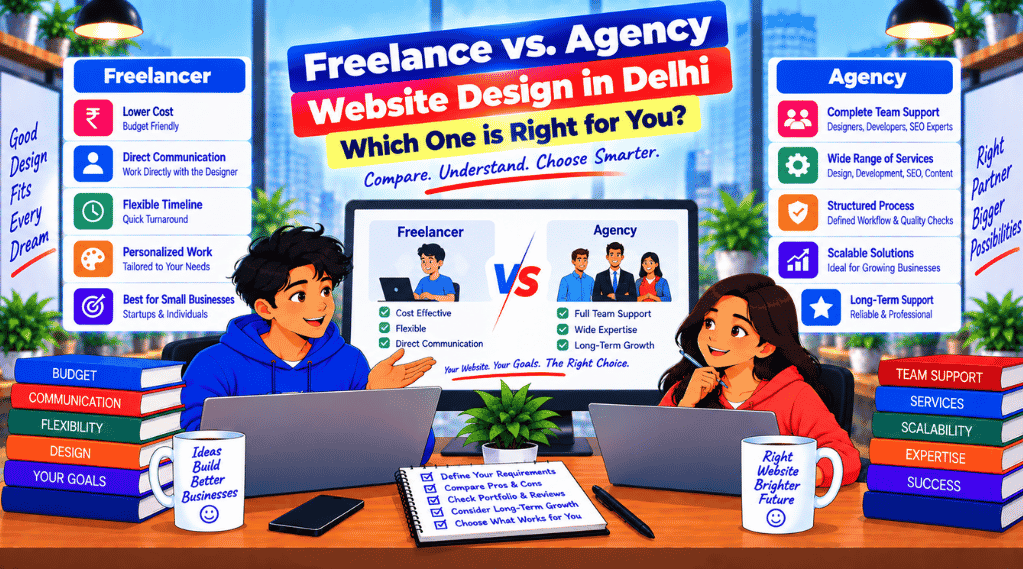
Freelance vs. Agency Website Design in Delhi – Which One is Right for You?

Freelance vs. Agency Website Design in Delhi

Freelance website designer in Delhi

When starting your online journey, choosing between a freelance website designer in Delhi and a full-service agency can feel overwhelming. Both options offer unique advantages and challenges, especially in a competitive and budget-sensitive market like Delhi /NCR.

This article breaks down everything you need to know to make an informed decision based on your business goals, budget, and expectations.

Freelance website designer in Delh

Freelance Website Designer in Delhi

Freelancers are independent professionals who work on a project basis. You can find them on platforms like Upwork, Fiverr, or even via local referrals in Delhi.

✅ Pros of Hiring Freelancers

  • Cost-effective: Ideal for startups and individuals with limited budgets
  • Flexible hours: Most freelancers work odd hours to meet deadlines
  • Direct communication: No middlemen—faster decision-making
  • Specialization: Many focus on WordPress, eCommerce, or portfolio sites

❌ Cons of Hiring Freelancers

  • Limited capacity: Can’t handle large or complex projects alone
  • Reliability concerns: Risk of delay or poor-quality work
  • Lack of support: No formal maintenance or security updates
  • Scalability issues: May not keep up as your business grows

Website Design Agencies in Delhi

Agencies like Sync Soft Solution offer structured services with a team of experts including website designers, developers, content writers, and SEO specialists.

✅ Pros of Hiring an Agency

  • All-in-one services: From design and development to SEO and digital marketing
  • Scalability: Ideal for businesses planning future expansion
  • Reliable timelines & contracts: Ensures professionalism and deliverables
  • Support & maintenance: Post-launch support, backups, and updates

❌ Cons of Hiring an Agency

  • Higher costs: Generally more expensive than freelancers
  • Less personal touch: You may work with multiple people
  • Project delays: If overloaded, agencies can take longer
How Much Does A Website Cost In Delhi

Freelancer vs. Agency – Price Comparison in Delhi

Service TypeAverage Starting PriceTimelineIdeal For
Freelancers₹5,000 – ₹15,0003–10 daysStartups, portfolios
Small Agencies₹10,000 – ₹25,0005–15 daysMSMEs, NGOs, bloggers
Full-Service Agencies₹25,000 – ₹80,000+10–30 daysE-commerce, enterprises

Which One Should You Choose?

SituationRecommendation
Tight budget, basic websiteGo with a freelancer
Need branding, SEO, and marketingChoose an agency
Fast delivery, personal attentionFreelancer is ideal
Scalable and custom functionalityAgency with full team
Ongoing maintenance and upgradesReliable agency with support plan

✅ Why Sync Soft Solution Is a Smarter Agency Choice

If you’re looking for an affordable yet professional website design agency in Delhi, Sync Soft Solution offers:

  • Custom WordPress & WooCommerce websites
  • SEO-friendly & responsive designs
  • Free consultation and transparent pricing
  • Fast turnaround and lifetime support options

👉 Talk to Our Web Design Experts

Frequently Asked Questions (FAQ)

1. What is the difference between a freelance website designer and a web design agency in Delhi?

A freelance website designer in Delhi is typically an independent professional offering design services directly, while a web design agency consists of a team that may include designers, developers, and SEO experts working collectively on projects.

2. Is hiring a freelance website designer in Delhi more affordable than an agency?

Yes, in most cases, freelancers charge less than agencies due to lower overhead costs. However, agencies may provide more robust solutions, especially for larger or more complex websites.

3. What are the benefits of choosing a freelance website designer in Delhi?

Freelancers often provide personalized attention, flexibility, and direct communication. They are a good fit for small businesses, startups, or those with a limited budget.

4. Are agencies better for SEO and digital marketing services?

Generally, yes. Web design agencies in Delhi often offer in-house SEO, content writing, and marketing teams, which can result in better online visibility and long-term performance.

5. How do I choose between a freelance designer and an agency for my Delhi-based business?

Evaluate your budget, project complexity, timeline, and long-term goals. For a basic website with tight costs, a freelance website designer in Delhi may be suitable. For scalable and SEO-optimized solutions, a professional agency might be the better choice.

6. Are freelance designers in Delhi reliable?

Many freelancers in Delhi are highly skilled and professional. Check reviews, portfolios, and client testimonials before hiring to ensure reliability and expertise.

7. Can freelancers handle e-commerce websites or advanced functionality?

Some freelancers do offer advanced services like eCommerce integration, payment gateways, and custom features, but their capabilities may be limited compared to full-service agencies.

8. Will an agency provide after-sales support and website maintenance?

Yes, agencies often include post-launch support, regular updates, security checks, and AMC plans as part of their package.

9. Which option is faster for project delivery?

Freelancers might be quicker for small projects. However, for larger projects, agencies typically have the manpower and resources to meet deadlines effectively.

10. Can I switch from a freelance designer to an agency later?

Absolutely. Many businesses start with a freelancer and upgrade to an agency later when they need more scalable infrastructure, SEO, or marketing support.

Generative Engine Optimization (GEO)

Generative Engine Optimization (GEO)
Generative Engine Optimization (GEO): The Practical Guide to Winning AI Answers | Sync Soft Solution
Home › Blog › GEO Guide
● Updated for AI Overviews / SGE

Generative Engine Optimization (GEO) — The Practical Guide to Winning AI Answers

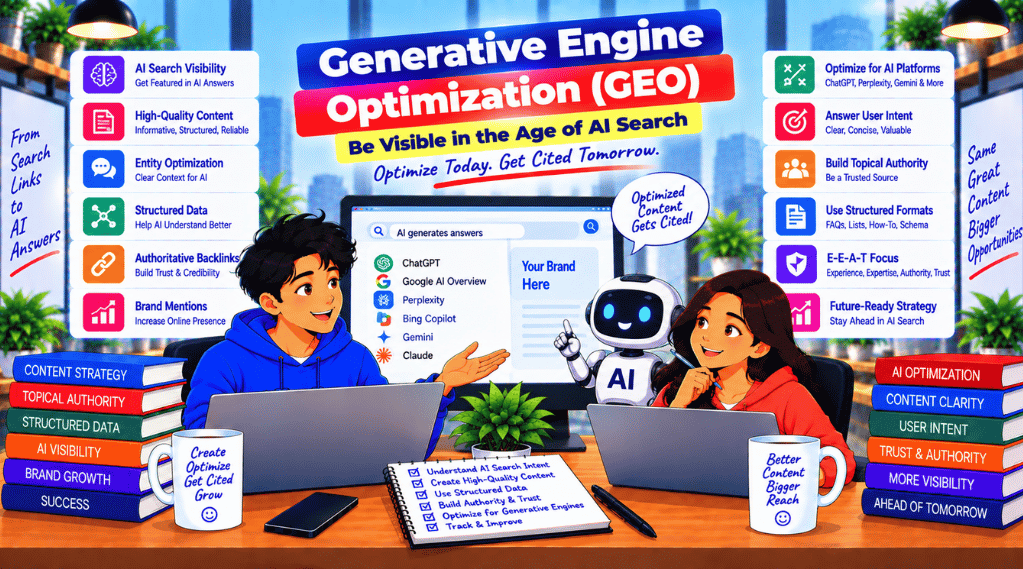
GEO helps your brand get selected, mentioned, and cited inside AI-generated answers (AI Overviews/SGE and answer engines). This guide shows the exact framework: structure + entities + schema + trust — with a conversion-first approach.

AI-ready content structure Entity SEO & topical authority Schema that machines understand Proof blocks for trust CRO to convert AI traffic

Reading time: ~8–10 minutes • Category: AI SEO / GEO • Author: Sync Soft Solution

Want GEO done for your business?

If you want a ready plan + implementation (content structuring, entities, schema, and conversion improvements), use our pillar page built for commercial intent and lead generation.


What is Generative Engine Optimization (GEO)?

Generative Engine Optimization (GEO) is the practice of optimizing your website so AI systems can quickly understand what you offer, trust your claims, and confidently reference your pages when generating answers. It’s not “writing for bots” — it’s creating clear, structured, proof-driven pages that machines can parse and humans can act on.

What GEO is trying to achieve

  • ✓
    Be selected in AI answers (shortlists, recommendations, comparisons).
  • ✓
    Get cited/mentioned as a source (trust + clarity + entity match).
  • ✓
    Convert AI-driven visitors into calls, WhatsApp chats, and forms.

GEO vs SEO: What’s different (and what stays the same)

Traditional SEO focuses on ranking pages in classic results. GEO focuses on earning presence inside the answer itself. The winning approach is not “GEO or SEO” — it’s GEO + SEO.

SEO

Classic SERP

Keywords, on-page, links, technical SEO, and content that earns rankings & clicks.

GEO

AI Answers

Answer-ready format, entity clarity, schema, proof blocks, and trust signals for citations/mentions.

Conversion

Leads

CTA placement, proof, offers, speed, and friction reduction so visibility becomes enquiries.

Why GEO matters now for commercial keywords

Many users don’t browse 10 blue links anymore. They ask a question and take action based on the AI summary. If you’re not present in those AI outputs, your commercial visibility gets weaker even if your site “looks good.”

GEO is especially powerful when your customers ask:

  • ✓
    “Best [service] agency in Delhi NCR” or “top [service] company near me”.
  • ✓
    “Which is better: X vs Y?” (comparisons and shortlists).
  • ✓
    “Pricing for [service]” and “what’s included”.
  • ✓
    “How to choose a provider” (decision frameworks).

The GEO Framework: Structure → Entities → Schema → Trust → Conversion

Here’s the simplest way to execute GEO without overcomplicating it. If you do these 5 layers consistently, you dramatically increase your probability of being selected and cited.

1) Structure

Answer-ready

Clear H1/H2/H3 hierarchy, short summary, FAQ blocks, steps, pros/cons, and comparison tables.

2) Entities

Meaning

Consistent definitions for your brand, services, locations, audience, and outcomes—across your site.

3) Schema

Machine context

LocalBusiness, Service, FAQ, Breadcrumb and supporting schemas so systems interpret intent faster.

4) Trust

Proof

Case snippets, reviews, credentials, process transparency, and consistent NAP across web.

5) Conversion

Leads

Offer clarity + CTA placement + friction reduction (call/WhatsApp/forms) + tracking.

Bonus: Internal links

Authority

Cluster support articles → link into the pillar page to build topical authority & navigation signals.

GEO Quick Checklist (copy/paste for your team)

  • ✓
    One clear intent per page (service + location + audience).
  • ✓
    Answer summary near top (2–4 lines) + key takeaways.
  • ✓
    FAQ block with real commercial questions & short answers.
  • ✓
    Schema validated (no errors) + matches on-page content.
  • ✓
    Entity consistency: same services, naming, locations, NAP.
  • ✓
    Proof blocks: results, reviews, credentials, process steps.
  • ✓
    Fast CTA: WhatsApp/call/form above the fold + mid-page CTA.
  • ✓
    Internal links to pillar + supporting guides with relevant anchor text.

Common GEO mistakes that block AI citations

  • ✓
    Fluffy introductions with no direct answer or specificity.
  • ✓
    Thin service pages (no process, no deliverables, no proof).
  • ✓
    Schema mismatch (FAQ schema but different FAQs on page).
  • ✓
    Inconsistent entity naming across pages (confuses systems).
  • ✓
    No conversion path (traffic comes but doesn’t turn into leads).

How to implement GEO on your site (simple 7-step plan)

  1. Pick 1 pillar page (your main commercial GEO page).
  2. Write 6–12 supporting articles (like this) for sub-topics and FAQs.
  3. Restructure the pillar with answer blocks, FAQs, and “best for” sections.
  4. Implement schema and ensure it matches the on-page content.
  5. Entity-map your services and standardize naming across the site.
  6. Add proof blocks and process transparency (deliverables, timelines, reports).
  7. Strengthen internal links from support articles → pillar → contact page.
Need GEO implementation with a commercial outcome (leads)?

See our complete service pillar page with strategy + pricing + deliverables.

FAQs

01 What is Generative Engine Optimization (GEO)?
GEO optimizes content so AI systems can understand, trust, and cite your pages. It uses structure, entities, schema, and proof-based content to increase your visibility inside AI-generated answers.
02 How is GEO different from SEO?
SEO helps pages rank in classic results. GEO helps pages get selected and cited inside AI answers. GEO works best when SEO fundamentals are already strong (technical health, helpful content, authority).
03 Does schema help GEO?
Yes. Schema provides machine-readable context (LocalBusiness, Service, FAQ, Breadcrumb, etc.), making it easier for systems to interpret intent, entities, and page content.
04 How long does GEO take to show impact?
Some improvements show early (better crawling, clarity, conversion). AI citations and stable mentions usually compound over weeks to months depending on niche competition and authority signals.
05 Can local businesses benefit from GEO?
Absolutely. Local businesses can win AI answers using service+location pages, consistent NAP, LocalBusiness schema, reviews, and clear proof blocks that help AI recommend them confidently.

Top 10 Web Design Trends for 2025

Top 10 Web Design Trends for 2025

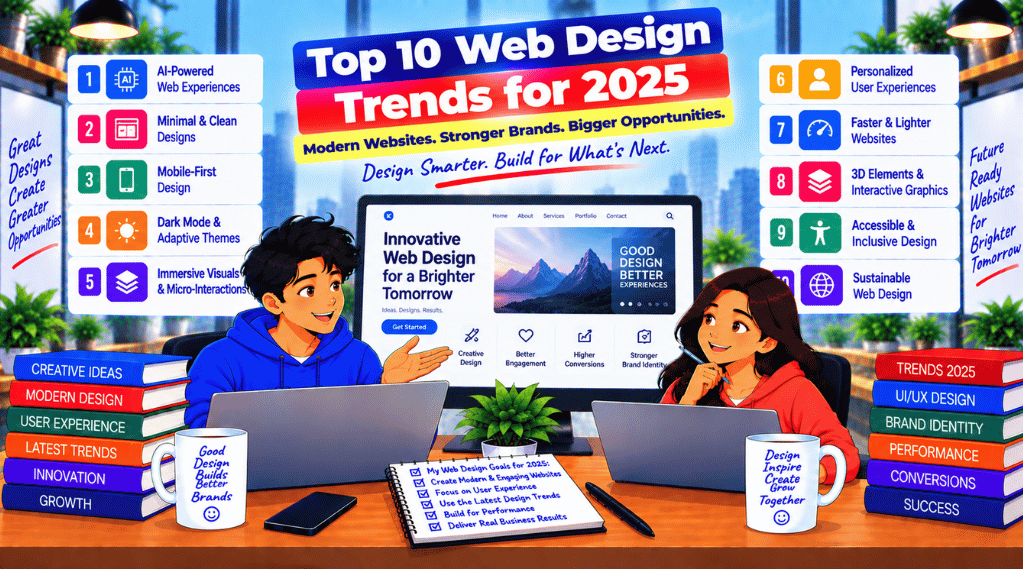
Top 10 Web Design Trends for 2025 | As we enter 2025, the world of web design continues to evolve at lightning speed. What was once innovative just a few years ago is now outdated. Businesses need to stay ahead by embracing the latest design trends that not only look stunning but also deliver a seamless user experience. At Sync Soft Solution, we believe in future-forward design thinking that converts visitors into loyal customers.

Here are the top 10 web design trends that will dominate 2025:

Need a modern website that reflects these trends?

Top 10 Web Design Trends for 2025

1. Dark Mode Evolution

Dark mode has moved from being a niche preference to a mainstream design standard. It’s easier on the eyes, conserves device battery life, and adds a sleek, modern touch. In 2025, expect to see websites offering auto-toggle options based on system preferences and time of day.

Example: Apple, YouTube, and Spotify all offer intuitive dark mode toggles that improve usability.

Tip: Use contrasting accent colors and optimize for readability in dark mode settings.


2. AI-Powered Personalization

AI will drive personalization like never before. Websites will adapt content, product suggestions, and layouts dynamically based on user behavior and preferences in real time.

Example: Amazon uses AI to recommend products, while Netflix tailors its homepage for every user.

Tip: Integrate AI-powered recommendation engines and behavior-tracking tools to boost engagement.


3. Immersive 3D Visuals

3D design elements are becoming more interactive and lightweight thanks to advancements in web technologies like WebGL. They create an immersive experience and hold user attention longer.

Example: Apple’s product showcase pages often use 3D rotating visuals and animations.

Tip: Use sparingly to avoid slowing down the site. Optimize for mobile rendering.


4. Voice Search-Optimized Design

With voice assistants like Alexa and Siri becoming ubiquitous, web design must cater to voice search queries. This means focusing on natural language and mobile-first content.

Tip: Structure content using schema markup, FAQs, and conversational headings.


5. Micro-Interactions and Animations

Micro-interactions (like hover effects, subtle button animations, or loading indicators) enrich the user experience without overwhelming the design. In 2025, expect even more sophisticated animations driven by behavior.

Example: LinkedIn’s reactions and Gmail’s undo-send animation.

Tip: Keep animations fast and purposeful. Don’t use them just for flair.


6. Mobile-First Everything

Over 60% of traffic now comes from mobile. Web design in 2025 means building mobile-first with touch-friendly navigation, faster loading times, and responsive content that feels native.

Example: WhatsApp Web and Instagram are heavily optimized for mobile.

Tip: Use responsive frameworks like Bootstrap or Tailwind CSS. Test on multiple devices.


7. Accessibility and Inclusivity

Web accessibility (A11Y) is now mandatory in many countries. Design trends will focus more on voice navigation, high contrast visuals, alt text, and keyboard-friendly interfaces.

Example: Government and health websites must comply with WCAG standards.

Tip: Use ARIA labels, test color contrast, and add alt descriptions for all visuals.


8. Minimalism with Purpose

Flat and minimal design remains strong, but in 2025, it’s more about purposeful simplicity. Less clutter, more whitespace, and focused user journeys.

Example: Stripe and Dropbox use whitespace and bold fonts to guide attention.

Tip: Prioritize content hierarchy, reduce distractions, and remove non-essential elements.


9. Sustainability-Focused Design

With growing concerns about energy usage and sustainability, websites will be designed to load faster, consume less data, and have a lower carbon footprint.

Example: Low-carbon websites like Branch Magazine use efficient images and lightweight fonts.

Tip: Compress images, use efficient code, and avoid unnecessary scripts.


10. Custom Cursors and Dynamic Scrolling

A growing trend in 2025 is the use of custom cursors and creative scroll interactions that transform the browsing experience into a journey.

Example: Agencies like Active Theory and Bruno Simon’s portfolio site use this to impress visitors.

Tip: Make sure custom features don’t interfere with usability or accessibility.


Final Thoughts

Staying on top of design trends isn’t just about looking modern – it’s about delivering the best experience for your users. Whether it’s integrating AI, optimizing for voice, or adopting 3D visuals, each trend reflects a shift toward more interactive, intelligent, and inclusive web design.

At Sync Soft Solution, we blend design aesthetics with marketing psychology to create websites that don’t just look good – they convert.

Google I/O 2025: Everything You Need to Know

Google I/O 2025: Everything You Need to Know

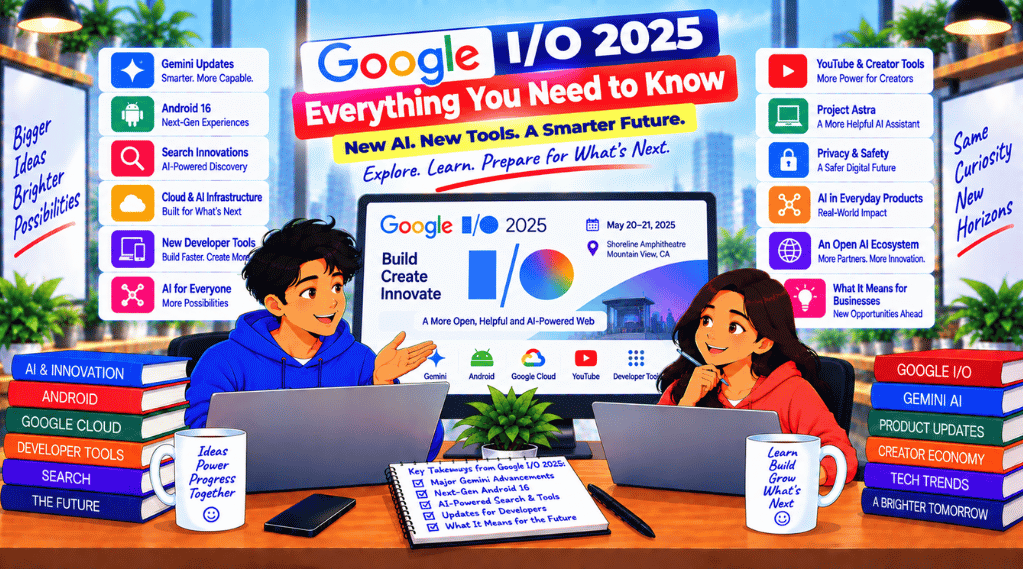
Google I/O 2025 was one of the most anticipated events in the tech world, held at the Shoreline Amphitheatre in Mountain View, California, and streamed globally. Google used this platform to unveil its latest breakthroughs in artificial intelligence, Android development, Wear OS, Google Search, and much more.

As a leading digital marketing and technology company, Sync Soft Solution brings you a full breakdown of the Google I/O 2025 announcements and what they mean for businesses, developers, and marketers.

Google IO 2025

Top Announcements at Google I/O 2025

1. Android 15 – Smarter, Faster & More Secure

  • Android 15 introduces new privacy controls, improved app launch times, and adaptive AI features for better battery and user experience.
  • Enhanced AI-driven camera features, especially for Pixel and Samsung Galaxy devices.
  • Private Space lets users create locked folders for sensitive apps.

SEO Tip from Sync Soft Solution:
App developers should optimize their apps for Android 15 early to benefit from reduced battery drain and faster load speeds.


2. Gemini AI Gets Supercharged

  • Gemini 2 is the latest version of Google’s large language model, competing directly with GPT-5.
  • Integrated across Gmail, Google Docs, Sheets, and Chrome for seamless productivity.
  • Multimodal capabilities: users can now interact with text, images, and voice all in one prompt.

“Gemini 2 is not just smart—it’s contextually aware,” says Sundar Pichai.

Why This Matters:
Businesses using AI chatbots or virtual assistants should prepare to integrate Gemini APIs to enhance customer engagement and streamline operations.


3. Wear OS 2025: Health, Harmony, and Smart Integration

  • New fitness tracking features, including real-time stress monitoring and glucose prediction (non-invasive).
  • Seamless integration with Google Fit and Fitbit.
  • Improved battery performance and new gestures for easier navigation.

Key Takeaway:
The health tech industry is in for a revolution. If you’re a healthcare brand, it’s time to align your apps with Wear OS 2025.


4. AI in Google Search – Smarter Than Ever

  • Search gets AI Overviews that summarize search results with citations, like snippets on steroids.
  • Enhanced voice and image search experiences via Gemini.
  • “Circle to Search” feature now works on all Android 15+ devices.

SEO Note:
At Sync Soft Solution, we recommend businesses optimize their website content for AI summaries and conversational search formats to stay ahead in Google SERPs.


5. Project Astra – Google’s Answer to Real-Time Vision AI

  • Imagine pointing your camera at anything and asking questions—Astra makes this possible.
  • Use-cases range from education, customer service, to e-commerce.

How to Prepare:
E-commerce companies should focus on visual search optimization (image SEO) to become discoverable via camera-based searches.


6. Google Photos & Magic Editor 2.0

  • AI-powered editing tools let users change expressions, backgrounds, and even lighting conditions in one tap.
  • Real-time video enhancement for creators and influencers.

Tip for Creators:
Optimize your short-form content using these AI tools for better visual appeal and engagement on social platforms.

What Google I/O 2025 Means for Businesses

For Marketers:

For Developers:

  • Migrate apps to Android 15 with AI-native functionalities.
  • Use Firebase + Gemini tools for building intelligent, personalized user flows.

For eCommerce Brands:

  • Integrate Astra Vision AI and visual product search to enable next-gen product discovery.
  • Leverage Wear OS apps for fitness and fashion verticals.

How Sync Soft Solution Helps You Stay Ahead

At Sync Soft Solution, we are already preparing our clients to implement the technologies announced at Google I/O 2025. Here’s how we can help:

ServiceHow We Help Post Google I/O 2025
Website DevelopmentGemini-powered smart websites with conversational search-ready content
SEO OptimizationPrepare for AI Overviews and image/video search features
Mobile App DevelopmentAndroid 15 upgrades, Wear OS 2025 compliance, Astra integration
AI Chatbot DevelopmentGemini 2-based chat interfaces for lead gen and customer support
Digital Marketing ServicesGoogle Ads with AI-targeting, automated campaign creation using Gemini
UI/UX OptimizationApp design compatible with new gesture-based navigation systems

👉 Contact Us today to upgrade your digital presence for the AI-driven era!

Expert Predictions After Google I/O 2025

  • 70% of search traffic will be influenced by AI Overviews.
  • Voice-first websites will become mainstream by 2026.
  • App fatigue will push brands to adopt PWA and Wearable-first strategies.

✅ Checklist for Businesses After Google I/O 2025

TaskPriority
Update SEO strategy for AI-generated snippets🔥 High
Upgrade apps to Android 15🔥 High
Enable voice/image search features🔥 High
Explore Gemini API integration✅ Medium
Plan wearable-compatible services✅ Medium
Optimize for visual content SEO✅ Medium

Google I/O 2025 marked a major leap in AI integration, mobile OS evolution, and real-time vision intelligence. Whether you’re a developer, marketer, or business owner, staying aligned with these innovations is crucial.

Sync Soft Solution is here to help you unlock the full potential of these announcements with our expert-led digital services.

📞 Let’s future-proof your business with our custom strategies tailored to Google’s next-gen technologies.
🌐 Visit us: www.syncsoftsolution.com
📧 Email: [email protected]

Frequently Asked Questions (FAQs) – Google I/O 2025

1. What is Google I/O 2025?

Answer:
Google I/O 2025 is Google’s annual developer conference where the tech giant announces its latest innovations in Android, artificial intelligence, web technologies, and hardware. This year, the spotlight was on Android 15, Gemini AI 2, Wear OS 2025, and Project Astra.


2. When and where did Google I/O 2025 take place?

Answer:
Google I/O 2025 was held on May 14, 2025, at the Shoreline Amphitheatre in Mountain View, California, with a live global stream available on YouTube and Google’s official channels.


3. What is Gemini 2 and how is it different from ChatGPT?

Answer:
Gemini 2 is Google’s latest AI model, offering multimodal capabilities, real-time understanding, and native integration across Google Workspace apps like Gmail, Docs, and Chrome. Unlike ChatGPT, Gemini 2 is directly embedded within Google’s ecosystem for seamless productivity.


4. What are the new features in Android 15?

Answer:
Android 15 brings Private Space for secure app storage, battery performance upgrades, adaptive AI features, and advanced camera AI tools, especially beneficial for content creators and mobile developers.


5. What is Project Astra from Google?

Answer:
Project Astra is Google’s new real-time vision AI system that allows users to point their camera at an object and ask questions about it. It’s designed for real-world applications in education, retail, travel, and healthcare.


6. How does the AI in Google Search affect SEO?

Answer:
The introduction of AI Overviews and Circle to Search means websites must now be optimized for AI-readable content. Structured data, conversational tone, and visual content (images/videos) are critical for visibility in AI-driven results.


7. What’s new in Wear OS 2025?

Answer:
Wear OS 2025 includes stress tracking, non-invasive glucose prediction, gesture controls, and deeper integration with Google Fit. It sets the stage for smarter and health-focused wearable experiences.


8. Can businesses integrate Gemini AI into their platforms?

Answer:
Yes, Google provides Gemini API access for developers. Businesses can integrate Gemini into their apps, websites, or CRMs to deliver AI-powered chat, content creation, or personalized recommendations.


9. What should digital marketers do after Google I/O 2025?

Answer:
Digital marketers should:

  • Update SEO strategies for AI Overviews
  • Optimize for voice and visual search
  • Integrate Gemini AI for content and customer support
  • Upgrade websites for Android 15 compatibility

10. How can Sync Soft Solution help with Google I/O 2025 tech adoption?

Answer:
Sync Soft Solution offers tailored services including:

  • Gemini AI integration
  • SEO for AI-powered search
  • Android 15 app upgrades
  • Wear OS development
  • PPC automation using AI insights

We help businesses stay ahead of the curve with next-gen tech strategies and digital transformation.

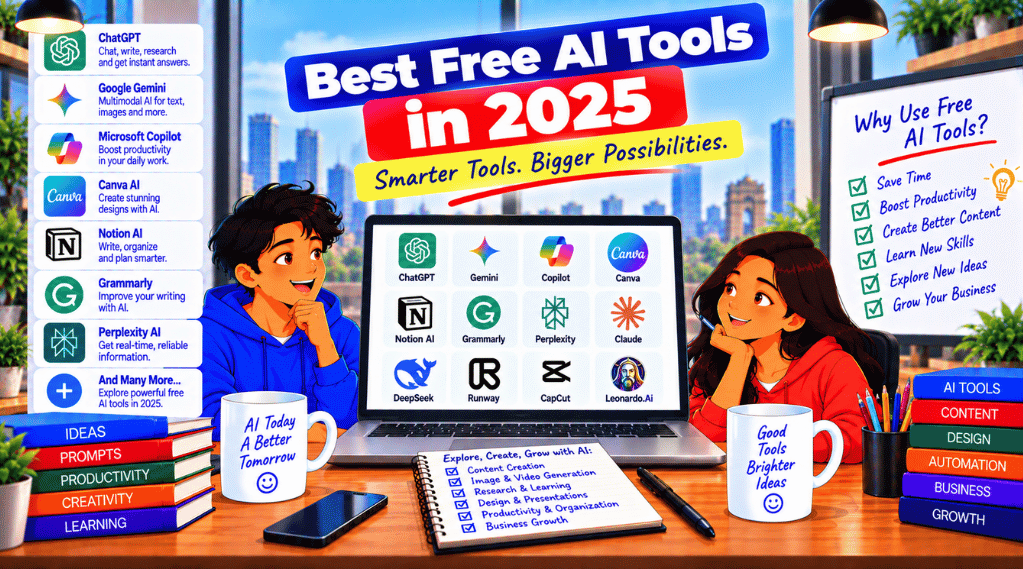
Best Free AI Tools in 2025

Best Free AI Tools in 2025
Best Free AI Tools in 2025 | Sync Soft Solution

Top No-Cost AI Tools & Free AI Apps in 2025

AI is now part of everyday work — writing emails, designing creatives, summarizing meetings, researching faster, and assisting developers with code. This guide shares a practical “toolbox” of no-cost AI tools you can start using immediately in 2025.

Writing & Editing Design & Video Research Coding Productivity
Want AI in marketing? Pair these tools with our pillar page: Digital Marketing Services in Delhi for practical AI-driven growth strategies.
Best Free AI Tools

Introduction: Why Free AI Utilities Matter in 2025

Artificial Intelligence is no longer “optional” — it’s a productivity multiplier. Whether you’re a student, creator, freelancer, startup founder, or marketer, using the right AI utilities can save hours every week. In 2025, many platforms offer free plans that are powerful enough for daily use: drafting content, creating visuals, summarizing notes, writing code, and even producing short-form videos.

Below you’ll find a curated set of free AI apps (with clear use cases), a comparison table, trends, and a short checklist to pick the best tool for your workflow.

Top Free AI Tools in 2025

1) ChatGPT by OpenAI (Writing, Ideas, Coding Help)

ChatGPT is a versatile assistant for drafting content, brainstorming, learning concepts, and getting coding support. It’s widely used across marketing, education, customer support, and development workflows.
Outbound link: OpenAI official website

2) Canva Magic Design (AI Design & Templates)

Canva’s AI features help generate designs for social posts, banners, presentations, and marketing creatives faster. Great for non-designers and teams who want quick results with templates.
Outbound link: Canva official

3) GrammarlyGO (AI Writing Enhancement)

GrammarlyGO improves clarity, tone, grammar, and rewriting — helpful for emails, proposals, blogs, and client communication.
Outbound link: Grammarly official

4) Notion AI (Productivity & Organization)

Notion AI works inside your workspace to summarize notes, generate tasks, and organize information. Useful for teams, content planners, and operations.
Outbound link: Notion official

5) Otter.ai (Meeting Transcription)

Otter.ai turns speech into text and helps capture meeting notes, interview summaries, and lecture transcripts.
Outbound link: Otter.ai official

6) QuillBot (Paraphrasing & Summaries)

QuillBot helps rewrite sentences, simplify paragraphs, and summarize content — popular with students and writers.
Outbound link: QuillBot official

7) Perplexity AI (Research with Citations)

Perplexity is great for quick research, summaries, and answers with citations, helping you validate information faster.
Outbound link: Perplexity official

8) GitHub Copilot (AI Pair Programming)

Copilot suggests code and speeds up development, especially for repetitive patterns and boilerplate.
Outbound link: GitHub Copilot page

9) Codeium (Free Coding Assistant)

Codeium offers code suggestions across multiple languages and IDEs — a strong option for learners and teams.
Outbound link: Codeium official

10) Runway ML (AI Video Editing)

Runway ML helps with background removal, generative video effects, and text-to-video workflows. Great for creators and short-form video production.
Outbound link: Runway official

Internal tip: If you’re using these for marketing campaigns, also explore our Digital Marketing Services in Delhi page for strategy + execution.

Comparison Table of Popular Free AI Apps

Tool Best For Key Features Ease Speed Accuracy
ChatGPT Content, learning, coding Prompt-based assistant, explanations, drafting 9/10 Fast High
Canva Magic Design Graphics & templates AI layouts, templates, quick creatives 9/10 Fast High
GrammarlyGO Writing polish Grammar, tone, rewrites 10/10 Fast Very High
Notion AI Docs & planning Summaries, tasks, structure 8/10 Moderate High
Otter.ai Transcription Real-time notes, searchable transcripts 7/10 Moderate High
Perplexity Research Answers with citations 9/10 Fast High
Copilot Coding Auto-complete, suggestions 8/10 Fast High
Runway Video AI effects, background removal 7/10 Moderate High

Usability & Applications: Best Picks by User Type

AI tools for students & learners

Students can use writing assistants for essays, paraphrasing, summaries and note organization. A strong stack: GrammarlyGO for polishing, QuillBot for rewriting, Notion AI for planning, and Otter.ai for lecture transcription.

Free AI apps for professionals & teams

Professionals benefit from fast drafting, meeting summaries, and better communication. Use ChatGPT for ideation, GrammarlyGO for clean messaging, and Notion AI to turn discussions into action items.

AI utilities for developers

Developers can speed up coding with Copilot and Codeium while using ChatGPT for debugging explanations and documentation drafts. This combination helps reduce repetitive tasks and improves clarity when communicating technical ideas.

How to Choose the Right AI Tool

Choosing the best no-cost AI tool is less about “most popular” and more about the job-to-be-done. Use this quick checklist:

  • Goal: Writing, design, research, coding, or video?
  • Workflow: Do you need it inside an app (Notion) or standalone?
  • Output quality: For client-facing copy, prioritize accuracy + tone tools.
  • Speed: For fast production, choose tools with templates (Canva) or quick answers (Perplexity).
  • Privacy: Avoid entering confidential client data unless you’re sure of policies.

In 2025, AI tools are moving beyond basic chat. The biggest trends include:

  • Design + productivity merge: Platforms combining design, docs and planning into one workspace.
  • AI-assisted writing: Tools now adapt to tone, brand voice and audience intent.
  • Real-time collaboration: Summaries, tasks and notes generated during meetings.
  • AI pair-programming: Coding suggestions becoming standard in IDEs.
  • Multimodal creation: Text-to-video and AI effects for creators.

Privacy & Safety Tips When Using Free AI Tools

Free plans are great, but always use AI responsibly:

  • Don’t paste passwords, OTPs, financial details, or confidential client documents.
  • Check if the tool stores chats or uses data for training (review privacy policy).
  • For business work, keep a “safe prompt” style: summarize without sensitive identifiers.
  • Always fact-check important claims and use citations when available (research assistants help here).

FAQs

Q1. Are all AI tools listed here free?

Most offer free plans with essential features, plus paid upgrades for advanced usage. Start with the free tier, then upgrade only if your workflow demands it.

Q2. What’s best for content creation?

ChatGPT is versatile for long-form drafts and ideation. Pair it with GrammarlyGO for polishing and Canva for visuals.

Q3. Is it safe to use AI for academic work?

Use AI for learning, summaries and brainstorming — but follow your institution’s rules and avoid submitting AI output as “original work.”

Q4. Copilot vs Codeium — which should I use?

Copilot is deeply integrated with GitHub workflows, while Codeium is widely used as a budget-friendly option. Test both in your IDE and choose what matches your dev stack.

Conclusion: Build Your 2025 AI Toolbox

The smartest approach is to pick a small stack: one for writing, one for design, one for research, and one for productivity. Try 3–4 tools from this guide and measure which saves you the most time.

For business growth and AI-driven marketing, explore: Digital Marketing Services in Delhi and our blog for implementation ideas.

Outbound links used: OpenAI, Canva, Grammarly, Notion, Otter, QuillBot, Perplexity, GitHub, Codeium, Runway.

WhatsApp Quick Reply • 24×7