

- What Exactly Is Hyperlocal SEO?
- Decoding the Google Maps Algorithm
- The Command Center – Google Business Profile (GBP)
- The Power of Hyperlocal SEO for On-Page Optimization
- Mastering Citations and the Local Ecosystem
- The Review Engine (Social Proof as a Ranking Factor)
- Building Hyperlocal SEO Backlinks
- Leveraging Google Posts and Q&A
- Tracking, Measuring, and Refining
- The Hyperlocal SEO Advantage
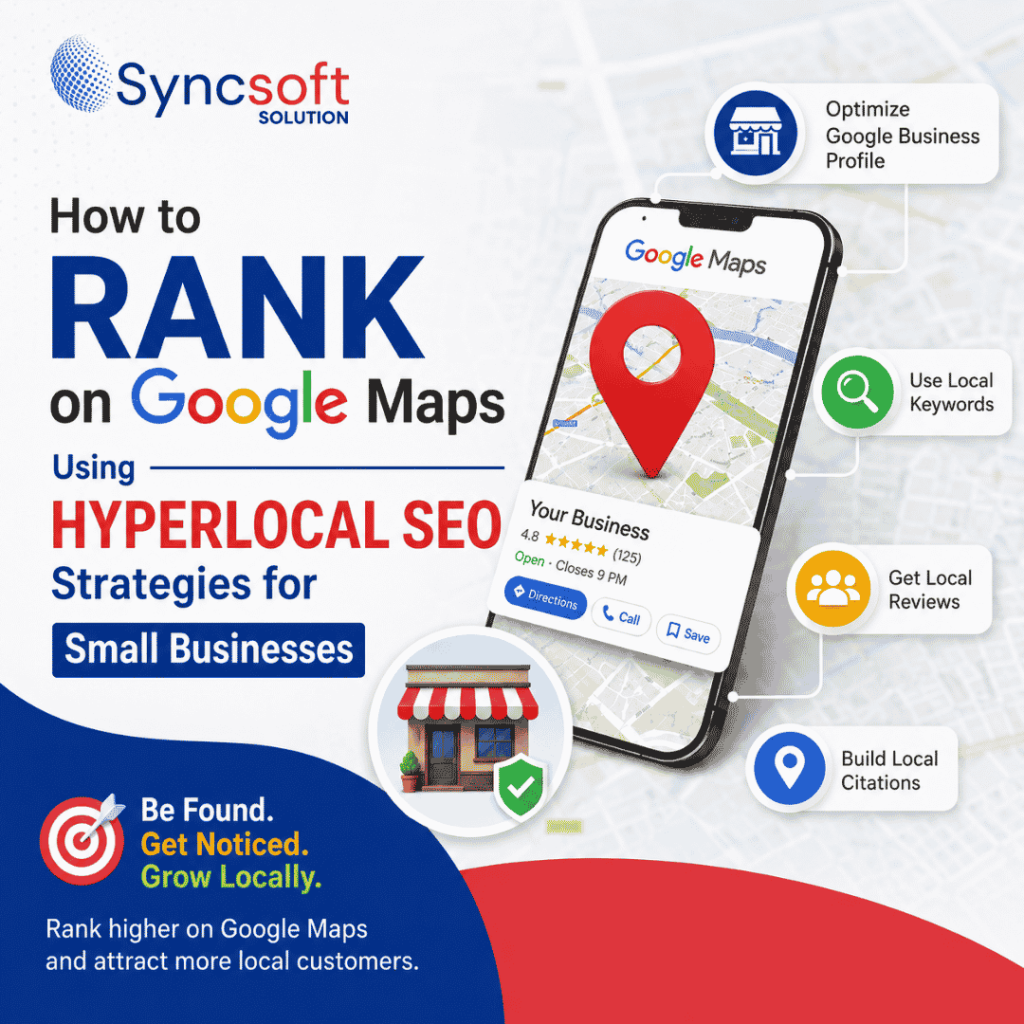
Hyperlocal SEO strategies help small businesses appear in front of nearby customers who are actively searching for their products or services. When someone searches on Google Maps for a business nearby, a strong local presence can make the difference between winning that customer and losing them to a competitor.
Google Maps can drive valuable local traffic, calls, inquiries, and store visits. By using hyperlocal SEO strategies focused on specific neighborhoods, service areas, and local search terms, small businesses can improve their visibility and connect with customers who are ready to take action.
At Sync Soft Solution, we’ve spent years decoding search engine algorithms and helping brands scale. While our digital marketing and web development reach extends across PAN India and the globe, we know firsthand that for many small businesses, the most lucrative battles are fought—and won—at the neighborhood level.
In this comprehensive, deep-dive guide, we are going to break down the exact strategies, technical tweaks, and localized content tactics you need to dominate Google Maps. Grab a notebook; we’re getting granular.
What Exactly Is Hyperlocal SEO?
Before we dive into the “how,” let’s clarify the “what.”
Traditional local SEO focuses on ranking your business within a specific city or region (e.g., “digital marketing agency in New Delhi“). Hyperlocal SEO, on the other hand, zooms in much closer. It targets extremely specific geographic areas—think neighborhoods, streets, blocks, or even specific landmarks (e.g., “digital marketing agency near Connaught Place” or “coffee shop in Sector 12 Dwarka”).
Google’s algorithm has become incredibly sophisticated. It knows exactly where a searcher is standing when they pull out their phone. When someone searches for “plumber near me,” Google isn’t just looking at the city; it is calculating the exact latitude and longitude to serve up the most immediate, relevant results.
If your small business isn’t optimized for these micro-moments, you are leaving money on the table.
Decoding the Google Maps Algorithm
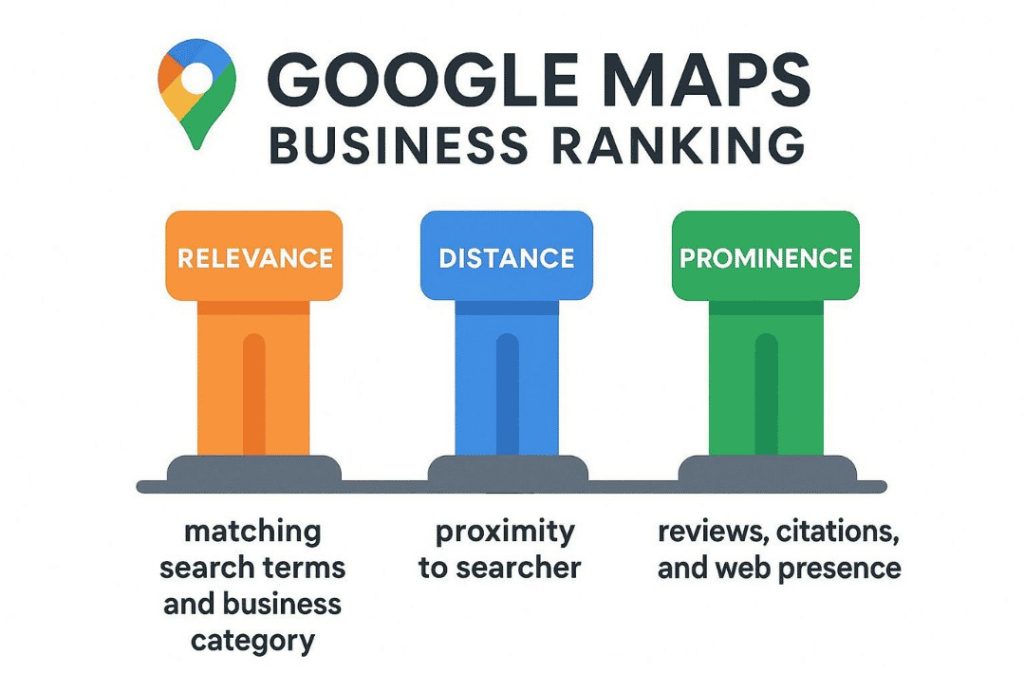
To win the game, you have to understand the rules. Google Maps (and the Local 3-Pack that appears in standard search results) relies on three primary pillars to determine who gets the top spots:
Relevance
How well does your business match what the user is searching for? If someone searches for “vegan bakery,” Google needs to be absolutely certain your bakery sells vegan goods.
Distance (Proximity)
How far is your business from the searcher’s physical location or the location term used in their search query? While you can’t pick up your brick-and-mortar store and move it closer to the searcher, you can optimize your digital footprint so Google accurately understands your service area.
Prominence
How well-known is your business? This is where the algorithm looks at your offline reputation translated into online signals—things like review count, review scores, local backlinks, directory citations, and overall brand authority.
Your hyperlocal strategy must fire on all three of these cylinders simultaneously.
The Command Center – Google Business Profile (GBP)
Your Google Business Profile (formerly Google My Business) is the undisputed king of local search. You cannot rank on Google Maps without an optimized GBP. Here is how to turn yours into a lead-generation machine.
Claim, Verify, and Audit
If you haven’t already, claim your business on Google. If a profile already exists but you don’t own it, request ownership. Once claimed, verify it (usually via a postcard, video verification, or phone call).
Precision in NAP (Name, Address, Phone)
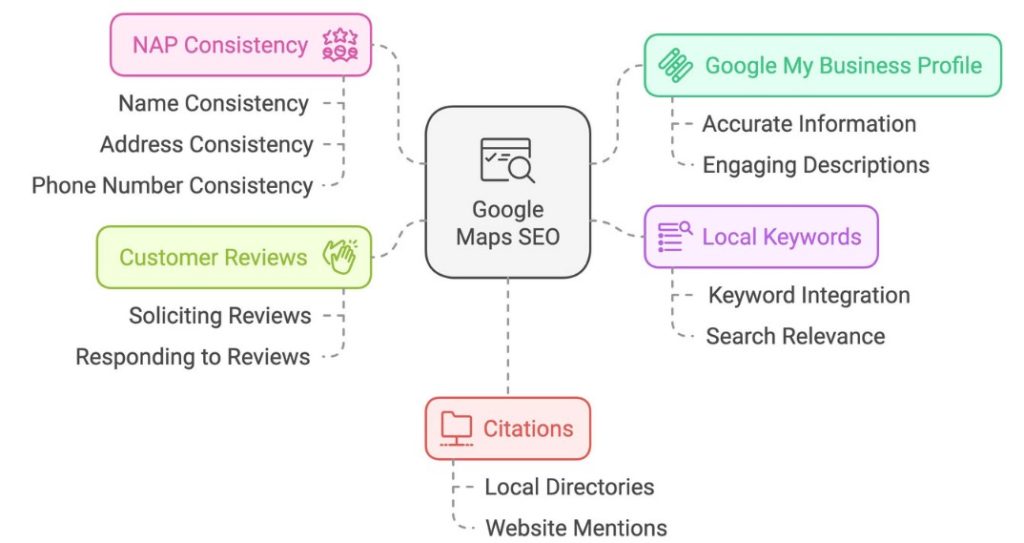
Your business name, address, and phone number (NAP) must be identical across the entire internet.
Name
Use your actual, legal business name. Do not stuff keywords into your business name (e.g., “Sync Soft Solution – Best Digital Marketing Agency”). Google can and will suspend your profile for this.
Address
Ensure the formatting is exact. If you use “St.” on your website, don’t use “Street” on your GBP.
Phone
Use a local number with a local area code rather than a toll-free number whenever possible. It sends a stronger local signal.
Master Your Categories
Your primary category is one of the strongest ranking factors on Google Maps. Choose the category that most accurately describes what your business is, not just what it does.
Example: If you run a web development agency, your primary category should be “Web Designer” or “Marketing Agency.”
Don’t stop at the primary category. Add highly relevant secondary categories to capture nuanced searches, but avoid category stuffing.
Write a Hyperlocal Business Description.
You have 750 characters to tell Google and your customers who you are. The first 250 characters are the most crucial. Weave in your core keywords and, importantly, your hyperlocal targets.
Good: “We are a digital marketing agency helping small businesses grow.”
Great: “Sync Soft Solution is a premier digital marketing and web development agency based in [City/Neighborhood]. We specialize in helping local businesses across PAN India and globally scale their online presence through SEO, Meta Ads, and cutting-edge web design.”
Populate High-Quality Attributes and Photos
Google loves visual data. Upload high-resolution photos of the exterior of your building (so people can find you), the interior, your team at work, and your products.
Furthermore, utilize GBP attributes. Does your business have wheelchair access? Do you offer free Wi-Fi? Are you a women-owned business? These attributes act as secondary keywords and help you show up in highly specific, long-tail voice searches.
The Power of Hyperlocal SEO for On-Page Optimization
Your website and your Google Business Profile are deeply intertwined. A highly optimized website will push your Maps listing higher.
Create Location-Specific Landing Pages
If your business serves multiple neighborhoods or cities, you need a dedicated landing page for each location. Do not just list 15 cities on your homepage.
A high-ranking location page should include:
Localized URL
Example: syncsoftsolution.com/digital-marketing-new-delhi
Hyperlocal Headings
Use hyperlocal H1 and H2 tags where appropriate on dedicated location pages.
Unique Localized Content
Create unique content about the specific services offered in that area.
Local Testimonials
Include testimonials from clients specifically in that geographic area.
Embedded Google Map
Add an embedded Google Map of your exact location or service area.
Speak the Local Language
To rank hyperlocally, you need to sound like a local. Don’t just use the city name; use neighborhood names, local landmarks, intersecting streets, and colloquial regional terms within your website copy.
If your office is near a major transit hub or a famous monument, mention it: “Located just two blocks from the main metro station…” This builds geographic context for Google’s crawlers.
Implement Local Business Schema Markup
Schema markup (structured data) is code you put on your website to help search engines return more informative results for users. By implementing the LocalBusiness schema, you are feeding Google your NAP, business hours, geographic coordinates, and accepted payment methods in a language it natively understands. This eliminates any guesswork for the algorithm.
Mastering Citations and the Local Ecosystem
A citation is any online mention of the name, address, and phone number of a local business. Think of them as digital footprints. The more consistent footprints Google finds across reputable websites, the more it trusts your business, which boosts your prominence.
Citations (The Non-Negotiables)
These are the heavy hitters. You must have accurate, fully fleshed-out profiles on:
- Apple Maps
- Bing Places for Business
- Facebook Business Page
- Yelp
and Geo-Specific Directories
Next, target localized and industry-specific directories. For businesses operating in PAN India, platforms like Justdial, Sulekha, and IndiaMART carry significant local weight.
The Golden Rule of Citations: Consistency is Everything.
If your business moved two years ago and half the internet still lists your old address, Google will get confused. A confused search engine will not rank you in the top 3. Use citation management tools to audit your online presence and clean up any rogue, inaccurate data.
The Review Engine (Social Proof as a Ranking Factor)
Reviews are the lifeblood of hyperlocal SEO. They not only influence the algorithm (prominence) but also drastically impact click-through rates. A listing with a 4.8-star average and 150 reviews will almost always steal the click from a listing ranked slightly higher but with only three 3.0-star reviews.
How to Build a Review Machine
Ask at the Point of Peak Satisfaction
Don’t wait three months to ask for a review. Ask immediately after a project is successfully completed or a product is delivered.
Make It Frictionless
Generate a direct Google Review link from your GBP dashboard. Send this link via email or SMS. Don’t make the customer search for your business to leave a review.
Encourage Keywords and Photos
Google scans the text of your reviews. If a customer writes, “Sync Soft Solution built an amazing WordPress e-commerce site for my business,” that review acts as a massive keyword injection for your profile.
The Art of Responding
You must respond to every single review—good, bad, or indifferent.
Responding to Positive Reviews
Thank the customer by name, reiterate the service provided (for keyword value), and wish them well.
Responding to Negative Reviews
Respond promptly, professionally, and without defensiveness. Apologize for the experience, take the conversation offline by providing a contact email/number, and show future prospects that you handle criticism with grace. Google tracks how active owners are on their profiles.
Building Hyperlocal SEO Backlinks
In traditional SEO, you want backlinks from massive, high-domain-authority websites (like Forbes or TechCrunch). In hyperlocal SEO, the game changes. A link from a small, local community blog in your exact city is often more powerful for Map rankings than a link from a national news outlet.
How Do You Get Local Links?
Local Sponsorships
Sponsor a local little league team, a charity 5k run, or a community theater. They almost always link to sponsors on their websites.
Local Chamber of Commerce
Join your local business associations. They provide authoritative, hyper-localized backlinks.
Hyperlocal PR
Do something newsworthy in your community and pitch it to local newspapers, radio stations, and regional bloggers.
B2B Partnerships
If you are a web developer, partner with a local IT support company. You can feature each other on your respective “Trusted Partners” pages.
Leveraging Google Posts and Q&A
Google wants your business profile to function like a social media feed. Active profiles rank higher.
Google Posts
Use the Posts feature to share updates, offers, and events directly on your Maps listing.
Update Posts
Share news about your business, a new blog post, or a recent project launch.
Offer Posts
Run a hyper-local special. “20% off web audits for local businesses this month!”
Event Posts
Hosting a webinar or a local meetup? Put it on your GBP.
Pro-Tip
Treat Google Posts like micro-blogs. Include a strong image, punchy copy, localized keywords, and a clear Call to Action (CTA) button linking back to your website.
Pre-Populate the Q&A Section
Anyone can ask a question on your Google profile, and anyone can answer it. Don’t leave your brand reputation to the public.
Log in to your owner account and ask the most common questions your business gets (e.g., “Do you build custom Shopify websites?” and “Do you take clients outside of India?”). Then, answer them yourself. This allows you to control the narrative, inject keywords naturally, and provide instant value to searchers.
Tracking, Measuring, and Refining
SEO is never a “set it and forget it” endeavor. You must monitor your hyperlocal performance to know what is working.
Track the Right Metrics
Inside your Google Business Profile performance tab, ignore the vanity metrics and focus on the data that drives revenue:
Direction Requests
Are people actively trying to physically find you?
Phone Calls
How many direct dials are coming from the Maps listing?
Website Clicks
Is your profile driving traffic to your localized landing pages?
Use Geo-Grid Trackers.
Standard rank trackers tell you where you rank generally. Geo-grid trackers (like Local Falcon or BrightLocal) show you exactly where you rank block-by-block.
You might find that you rank #1 when a user is standing within a 1-mile radius of your office, but you drop to #8 when they are 3 miles away. This data allows you to create highly targeted local content or run localized Google Ads in the specific neighborhoods where your organic Maps ranking is weak.
The Hyperlocal SEO Advantage
Ranking in the top 3 of Google Maps is one of the most transformative things you can do for a small business. It connects you directly with high-intent buyers exactly when they are looking to spend money.
By obsessing over NAP consistency, optimizing your Google Business Profile to its fullest potential, building localized content, and managing your digital reputation through reviews and citations, you create an insurmountable moat around your local market.
At Sync Soft Solution, we understand that navigating the nuances of local search algorithms can feel overwhelming when you are busy running a business. Whether you are aiming to dominate your local neighborhood in India or expand your digital footprint to a global audience, hyper-targeted SEO is the foundation of sustainable growth.
Start small. Claim your profile, clean up your data, and ask your best client for a review today. The map is yours to conquer.